DRAFT – yellow items are placeholders to replace before launch.

Scan a code. See everything about the machine.

iQagent generates a QR code for each machine, or maps to the barcode asset tag you already use. Scan it with a phone, a tablet or a RealWear HMT and get live data, manuals, videos and forms for that exact piece of equipment. Faster fixes, fewer trips to a desk, and no more paper forms.

iOS · Android · RealWear HMT · Install on your server, in the cloud or on a VM

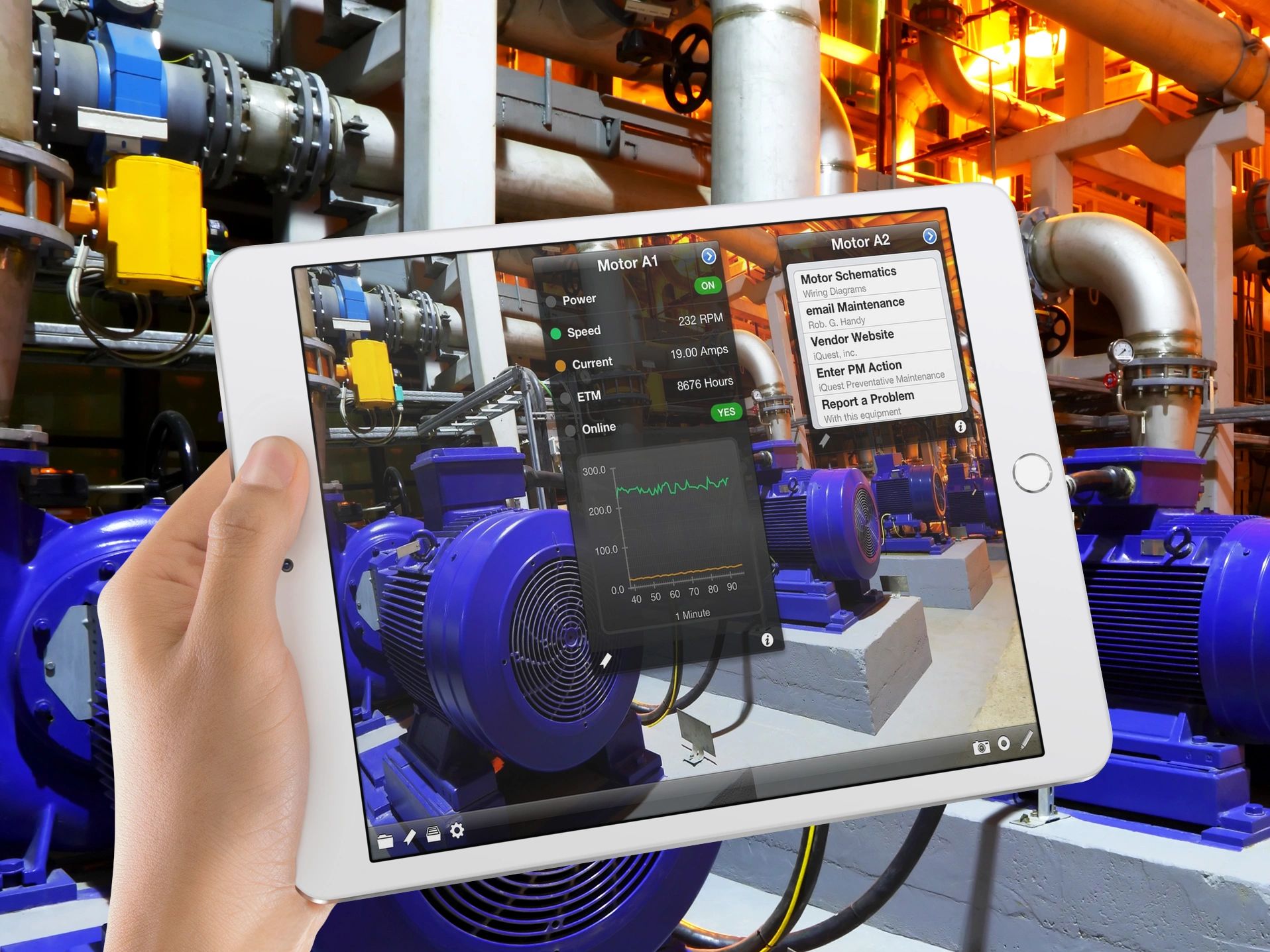
A technician holding a tablet in front of industrial motors; the iQagent app overlays live speed, current and run-hour values, a trend chart, and links to schematics, maintenance email and a problem report form

How it works

Every machine, line or area becomes a point of interest (POI): a QR code or your existing asset tag, linked to everything you want people to see.

Scan

Print the QR code that iQagent generates and place it on the equipment, or map your existing barcode asset tag. Then scan it with a phone or tablet camera, or hands-free with a voice-controlled RealWear HMT.

See

Live process data, manuals, videos, drawings and open forms for that exact piece of equipment appear on the screen.

Act

Fill in a form, even offline. Share an annotated photo or video with a remote expert. Get alerted when something needs attention.

What it does for your team

Faster response

Technicians see the live values and the right manual at the machine, so problems are diagnosed on the first visit.

Fix problems remotely

Share annotated images and videos with experts anywhere, so an expert can guide a repair without travelling to the plant.

Stay ahead of issues

Push notifications and email alerts reach the right people when a condition needs attention.

No more paper

Build forms with drag and drop and fill them in on the device, including where there is no network coverage.

Features

Drag-and-drop form builder

Create inspection, checklist and log forms yourself, with no programming.

Offline forms

Complete forms without a connection and sync when the device is back in range.

Push and email alerts

Notify people on their devices or by email.

Phones, tablets and RealWear HMT

iOS and Android devices, plus the RealWear HMT for hands-free work.

Your choice of hosting

Install on a local server, a cloud server or a virtual machine. A typical setup, including your first POI, takes about 15 minutes.

Uses your existing asset tags

Map POIs to the tags already on your equipment instead of relabelling the plant.

Integrations, deployment and security

Plant IT teams ask about this first, so we put it up front.

Pricing

Pricing depends on the number of users and POIs and on how you host it. PLACEHOLDER: replace with tiers or a starting price when decided.

Get a quote

Questions

What is a POI?

A point of interest: a machine, line or area in your plant that you attach a QR code or asset tag to, with everything about it linked behind that tag.

Do we need to replace our asset tags?

No. iQagent can map POIs to the asset tags you already use.

Does it work without a network connection?

Forms can be completed offline and are uploaded when the device reconnects.

Where does it run?

On your own server, a cloud server or a virtual machine.

Where does the live data come from?

iQagent reads from OPC DA servers, OPC UA servers and ODBC databases.

Is it secure?

Traffic between the apps and the server is encrypted with TLS. Each client app has a token that must be registered with the server before it can connect. iQagent doesn’t send plant data to us or to anyone else. Only the push notifications you configure leave your network.

Which devices are supported?

iOS and Android phones and tablets, and the RealWear HMT. Other smart glasses are not supported.
See it on your equipment

Book a 30-minute demo and we’ll walk through iQagent using your kind of machines and forms.

Book a demo